Testing Zapper: Can Your Linux Detection Setup Catch a Hidden Process?
Welcome back!
The more skilled a hacker becomes, the harder they are to spot. Beginners usually generate a lot of noise and leave clear traces. With experience, they learn to think the way defenders do and understand how detection systems actually work.
In this part, we’ll be looking at a tool that can hide processes: Zapper. Reports already show attackers using it to disguise long-running processes so they appear legitimate.
What Is Zapper?
Zapper is a tool from Hacker’s Choice (THC). Most process-hiding approaches rely on LD_PRELOAD hooks or libc tricks. Zapper doesn’t. It works without root privileges and even as a static binary you can rename and drop anywhere.
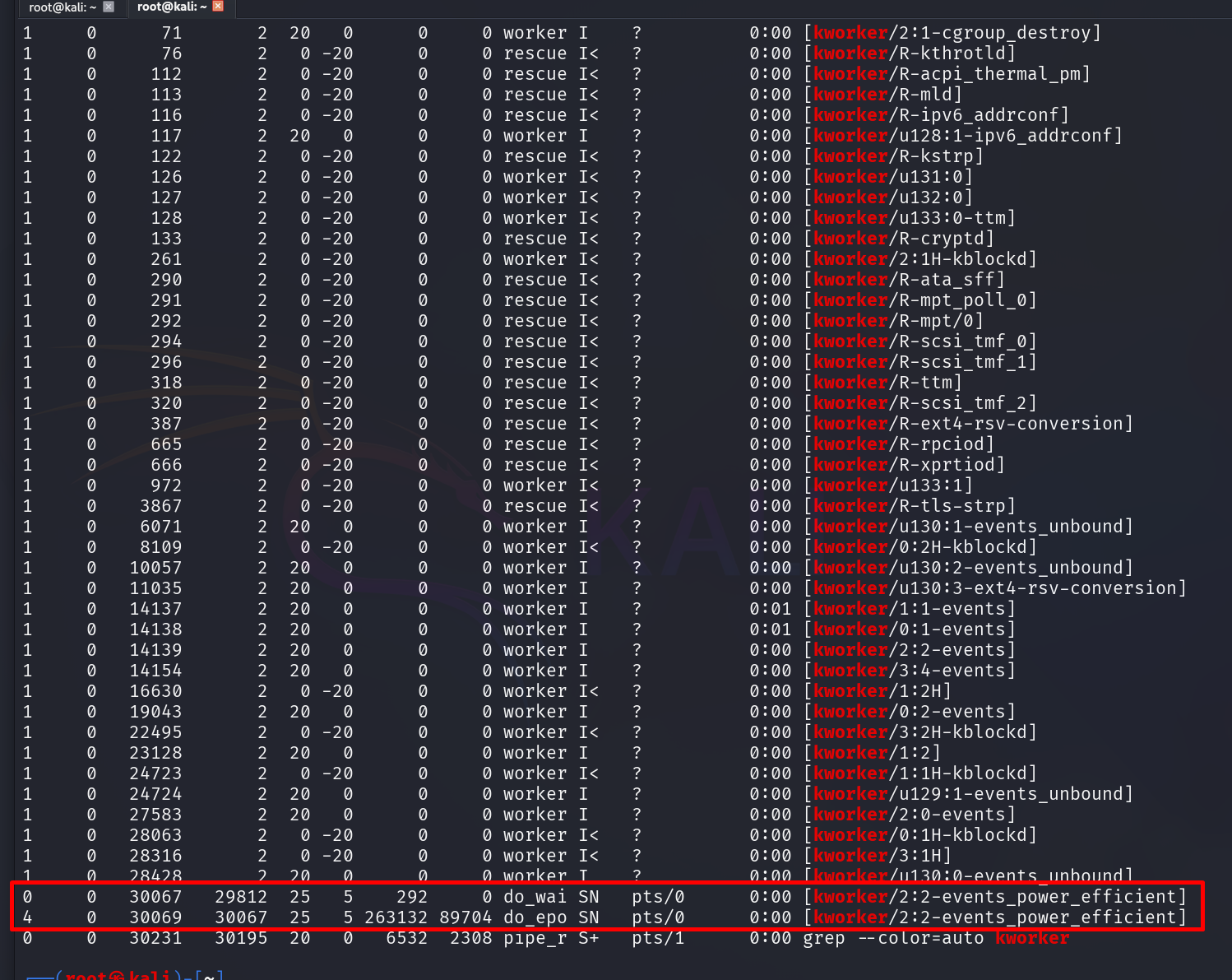
Two entries at the bottom aren’t kernel threads. That’s a hidden nmap scan masquerading as [kworker/2:2-events_power_efficient].
Zapper can hide a process’s command-line arguments and environment variables, including the information exposed through /proc/<PID>/environ. It doesn’t rely on LD_PRELOAD or traditional libc hooking. Instead, it uses ptrace() to manipulate information associated with the process’s ELF environment. The resource footprint is small enough that it won’t stand out in normal system activity.
Using Zapper
First, grab the binary directly from the project repository:
curl -fL -o zapper https://github.com/hackerschoice/zapper/releases/latest/download/zapper-linux-$(uname -m) && chmod 755 zapper && ./zapper -h
Once downloaded, rename it. In a real engagement you’d stage this on your Command and Control (C2) rather than pulling directly from GitHub. For this lab, we’re keeping it local to test whether changing the filename affects what a defender can identify:
mv zapper systemd-control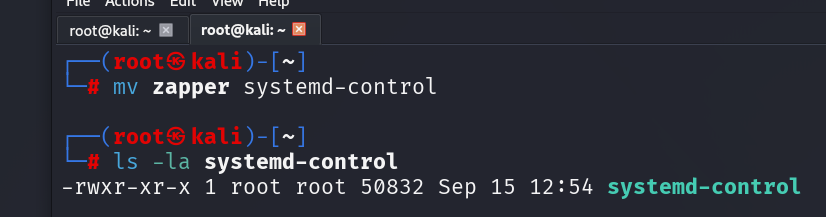
systemd-control blends in on most Linux systems. Real systemd components live in /lib/systemd. Drop it there, adjust the timestamps, and it’s hard to distinguish from a legitimate system file unless someone’s actively monitoring that directory. Filename-based detection alone won’t cut it.
The help menu shows the full capability set:
./systemd-control -h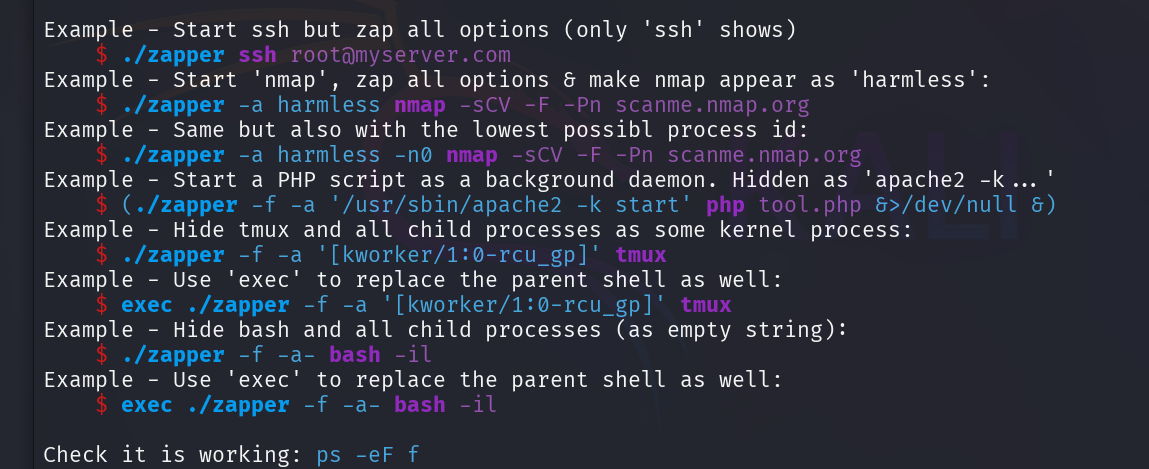
You can hide child processes, strip command-line arguments while leaving the process name visible, or create tmux sessions that don’t show up in normal process listings. The kernel worker thread masquerade is particularly effective — most admins won’t look twice at [kworker/1:0-rcu_gp].
Ready for the actual demo command. Before you run it, open a second terminal tab first — since we’re using exec, that terminal session becomes the hidden process. You’ll need the second tab to run the ps check from.
Once you have two tabs open, run this in the first one:
exec ./systemd-control -f -a '[kworker/2:2-events_power_efficient]' nmap 127.0.0.1 -Pn -sV -sC > /dev/shm/scan.txt &
The scan runs in the background as PID 3799, results go to /dev/shm/scan.txt, and to anyone looking at the process list it reads as routine kernel activity.
ps aux | grep nmapcat /dev/shm/scan.txt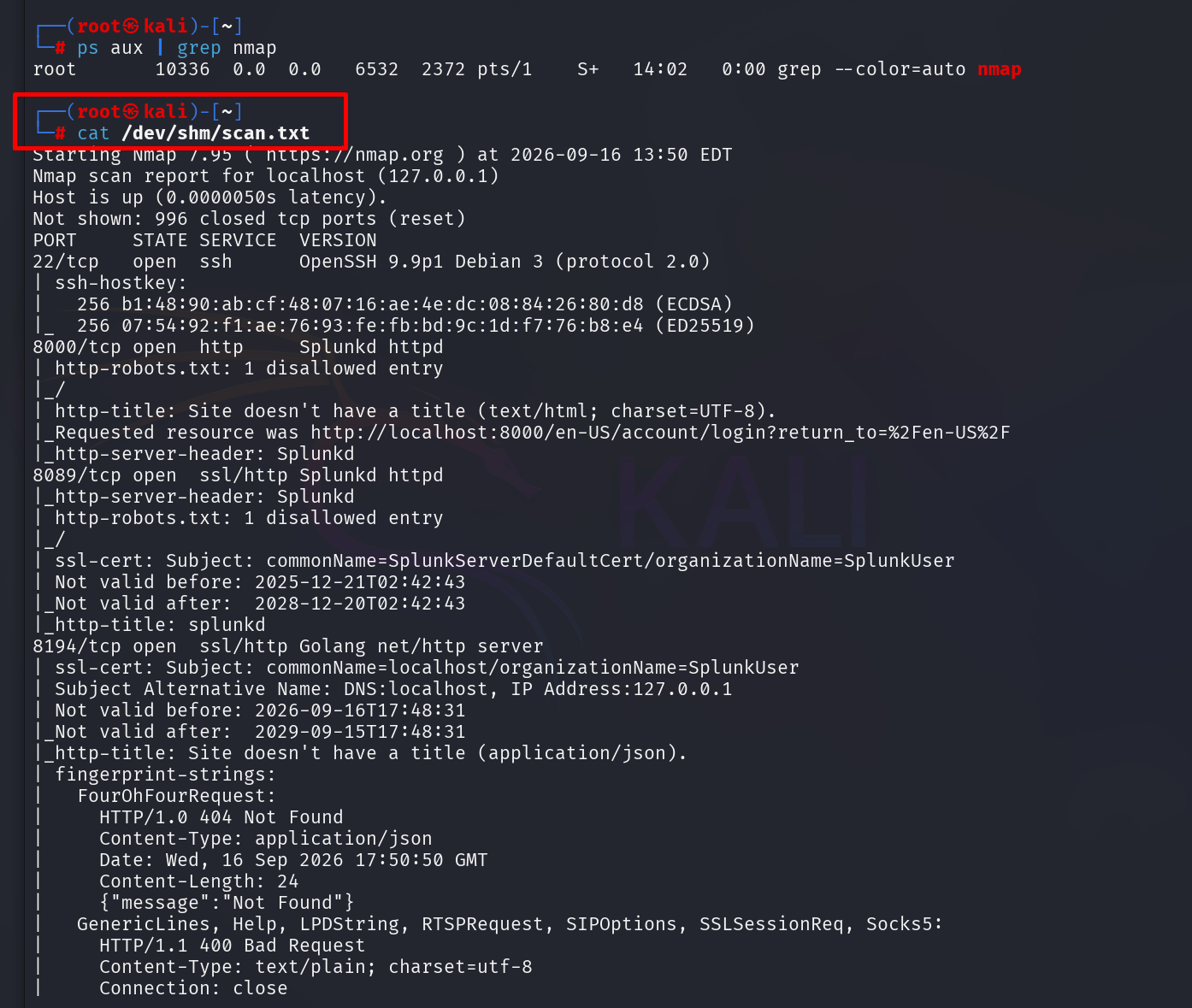
As you can see, ps aux | grep nmap comes back clean. No nmap process visible. The scan ran, completed, and left no trace in the process list. The results in /dev/shm/scan.txt confirm it worked: SSH on port 22, Splunkd on 8000 and 8089. nmap never showed up in ps. Try it on a pentest to emulate a realistic threat and see whether the blue team can catch it.
Summary
A full nmap scan completed, results landed in /dev/shm/scan.txt, and ps reported nothing. That’s the core of what Zapper does. It masquerades a running process as something an admin would scroll past without a second look, and strips the command-line arguments from /proc too. No root required, which makes it viable across a wide range of scenarios, and that low barrier to entry is part of why it’s already showing up in real DFIR reports.
Stay curious!