Feroxbuster, Gobuster, and DIRB: A Practical Speed Comparison
Welcome back!
Before you can exploit anything on a web app, you usually need to find it first. A lot of what actually matters on a target — admin login pages, leftover backup files, forgotten API endpoints, config files someone forgot to remove — never shows up in a link on the homepage. Content discovery is how you go looking for that stuff instead of hoping it’s handed to you.
The tooling for this has gone through a few generations. DIRB was the long-time default. Gobuster came along and pushed things faster with a leaner Go-based implementation. The newer contender is Feroxbuster — written in Rust, built around recursion, and marketed as the next step up in speed.
In this walkthrough, we’ll explore Feroxbuster and compare it with traditional directory brute-forcing tools to see how it stacks up.
What Feroxbuster Is Actually Built For
A few things define how it behaves:
- Speed — it leans on Rust’s concurrency model to fire off requests in parallel rather than working through a wordlist sequentially
- A CLI that doesn’t fight you — the flags are readable and the defaults are sane, so you’re not fighting the tool’s syntax before you’ve even scanned anything
- Recursion by default — find a subdirectory, it automatically scans that too, no re-running the command yourself
- Filtering that thinks a little — it tries to cut down on noisy false positives instead of just dumping every response back at you
- Room to tune it — plenty of flags for adjusting threads, wordlists, and scan behavior once you outgrow the defaults
Step 1: Installation
On Kali, it’s already in the repos:
sudo apt install feroxbuster -y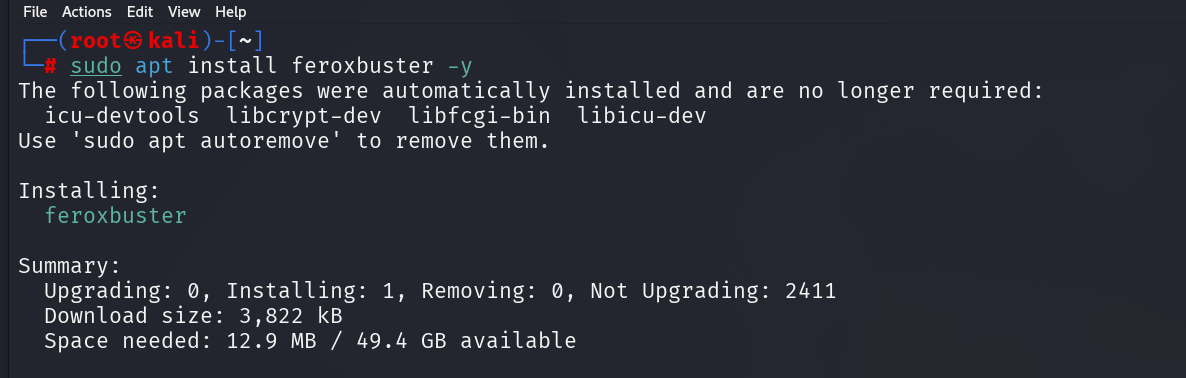
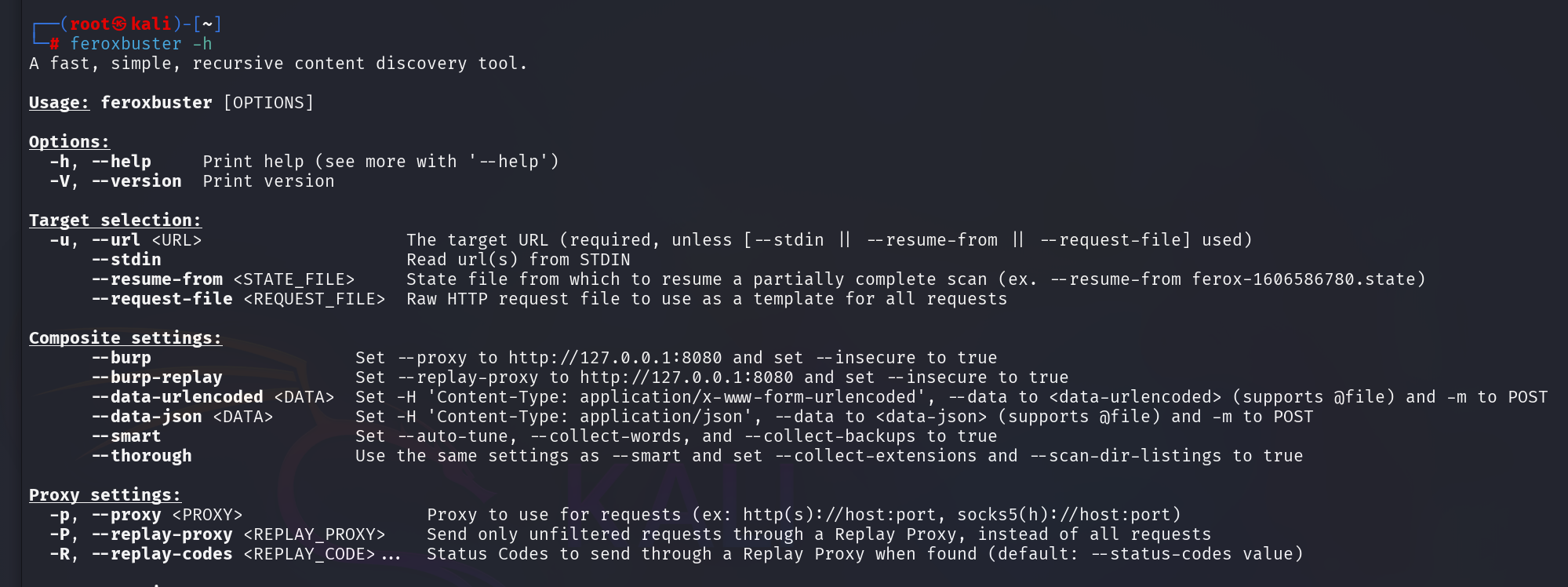
Worth confirming it’s actually working before moving on — -h prints the full option list, which doubles as a fast way to see everything the tool can do.
Step 2: Basic Directory Brute-forcing
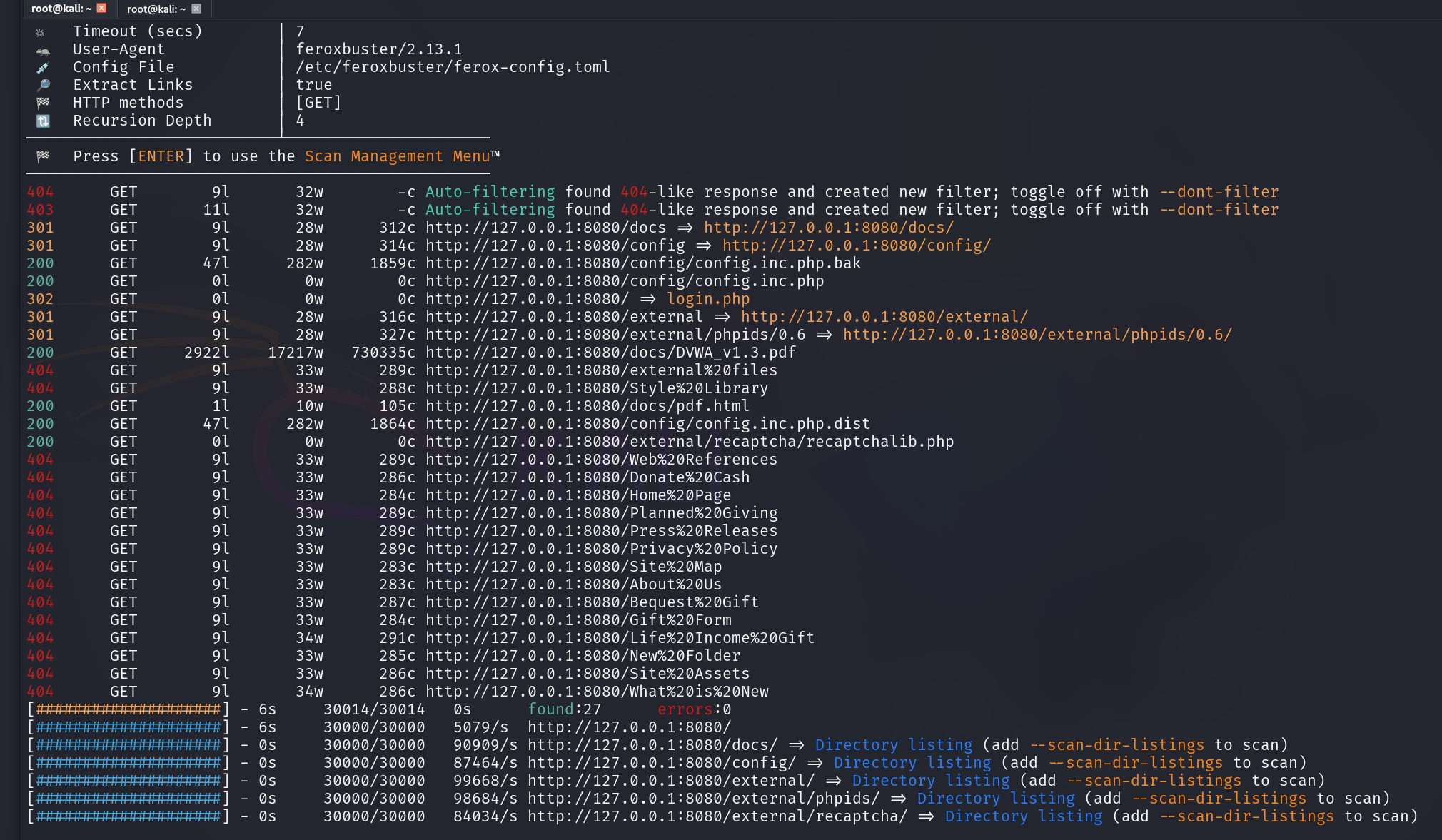
For this test, I’m scanning a local DVWA instance running in Docker — a safe, legal target instead of pointing these tools at a live site. Running a basic scan is straightforward. Point it at a target with -u:
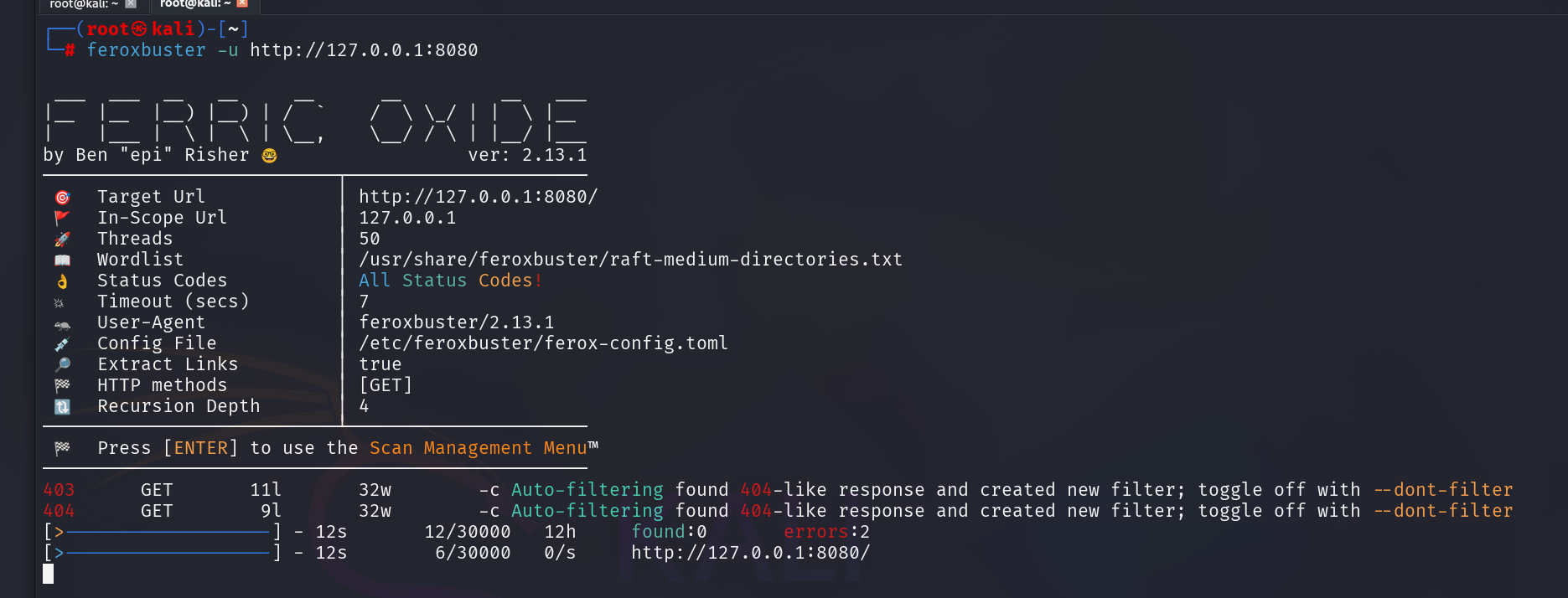
feroxbuster -u http://127.0.0.1:8080
By default, Feroxbuster reaches for raft-medium-directories.txt — interestingly, from its own bundled copy of the wordlist rather than pulling it from SecLists, even with SecLists installed alongside it. The scan behavior itself lines up with what you’d expect from DIRB: status codes and discovered paths printed as it goes.
Step 3: Comparison with Gobuster and DIRB
The Step 2 scan already showed Feroxbuster working well on its own — but the real test is putting it head-to-head against the tools it’s meant to replace, using the same target and the same wordlist across all three so the comparison’s actually fair.
For Feroxbuster:
time feroxbuster -u http://127.0.0.1:8080 -w /usr/share/wordlists/dirb/common.txt -t 50 -q --no-recursionA quick rundown of what each flag’s doing:
-w— points it at DIRB’s owncommon.txtwordlist instead of the raft-medium list it used by default in Step 2. Keeping the wordlist identical across all three tools is what makes this a real comparison rather than three different tests.-t 50— fires 50 requests at once instead of working through the list one at a time.-q— drops the banner and live progress bar, leaving just the results.--no-recursion— disabled deliberately here. Gobuster and DIRB don’t recurse the same way Feroxbuster does, so leaving recursion on would make the timing comparison meaningless.
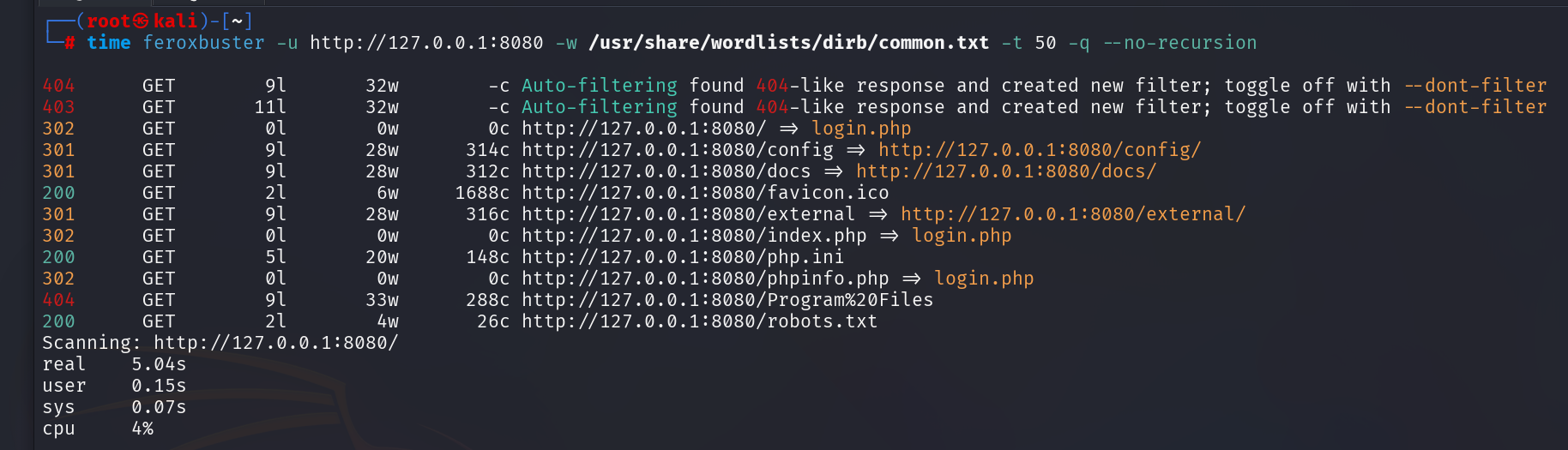
Feroxbuster finished in 5.04 seconds.
Same test, now with Gobuster. It doesn’t recurse by default, so no extra flag’s needed here.
time gobuster dir -u http://127.0.0.1:8080 -w /usr/share/wordlists/dirb/common.txt -t 50 -q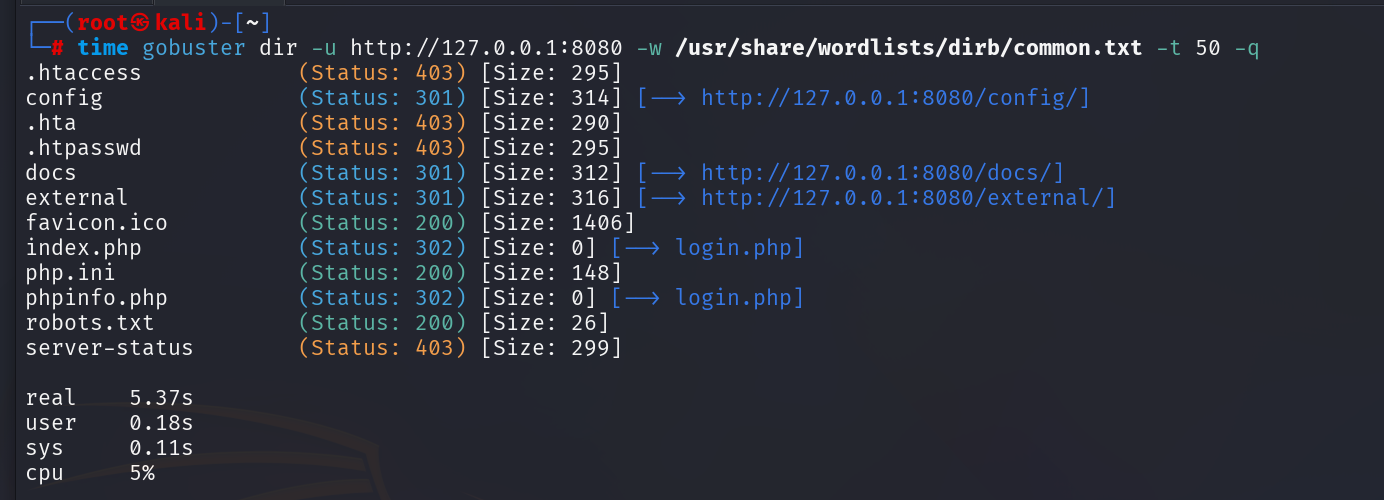
Gobuster came in at 5.37 seconds — slower than Feroxbuster this time around. Now for DIRB. It’s single-threaded by default and recurses automatically, both of which would skew the timing, so recursion gets disabled with -r:
time dirb http://127.0.0.1:8080 /usr/share/wordlists/dirb/common.txt -r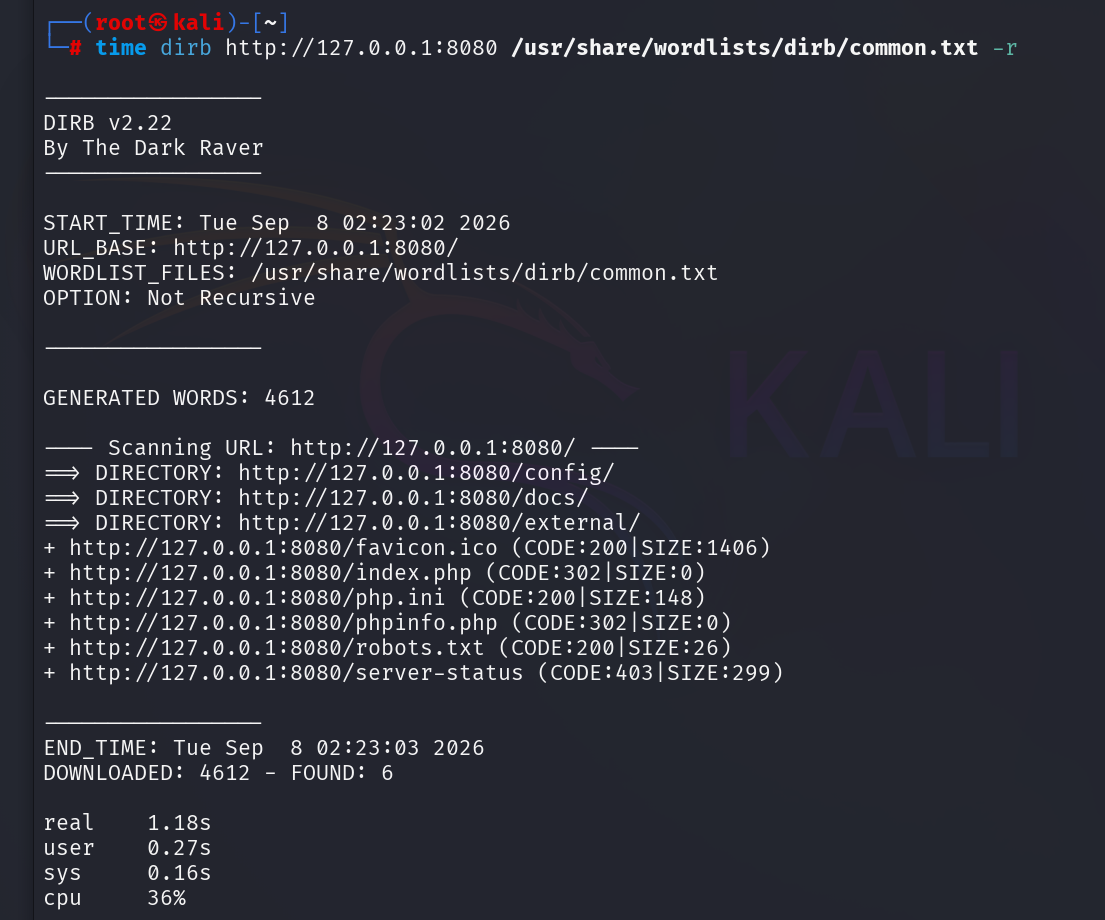
Executed in 1.18 seconds.
Summary
DIRB won — and by a wide margin. Not because it’s the superior tool, but because localhost removed the one condition that makes multi-threading useful in the first place: network latency. Against a real remote target, firing 50 requests in parallel means 50 things happening at once while you wait on the network. Against localhost, there’s almost no wait. DIRB’s single-threaded design stopped being a handicap the moment there was nothing left to outrun.
Feroxbuster and Gobuster were close enough that neither meaningfully beat the other. The real takeaway isn’t which tool is fastest — it’s that test conditions shape results as much as the tools themselves do.
Stay curious!